Payroll user guides
Payroll desktop
Functionality
Import Cost Centres and Departments
Copy Companies
Import Benefits
Adding a New Pay Element
Pay Rises
Modifying Custom Reports
Company and Employee Audit Trail
Maintaining Users and User Profiles
Automatic Pension Re-enrolment
Maintaining Elements and Relationships
Average Holiday Pay improvements
Change NI Table Letter
Loans and Save Schemes
Adding additional fields to payslips
Maintaining Display Views
Viewing RTI Submissions
Standard (STD) and Live Pay Period fields
Benefits - Car Allowance Optional Remuneration Arrangement (OpRA)
Average Holiday Pay
Changing Pay Groups
Statutory Neonatal Care Pay (SNCP) - desktop version
Statutory Parental Bereavement Pay for Northern Ireland (SPBPNI)
Statutory Sick Pay (SSP) Changes April 2026
Release v2.52
COVID-19 changes to SSP
Class 1A NI contributions
CEO Pay reporting
Termination awards
New rules for low-emission cars
Hours and Days in Payroll
Employment Allowance changes
Parental Bereavement Pay
History generation for Pensions and Pay groups
IR35 Working rules
Holiday pay calculation changes
Changes to Pension re-enrolment
Printer names on RDP
Plain Paper P45s
Release v2.56
2.56 Release Report
Payroll version 2.56 Upgrade Instructions
Health and Social Care Levy message on the payslip
Support for the Alabaster ruling
Automatic recalculation of SMP,SPP etc
New NI Letters for freeports and veterans
HMRC gateway password saving
Release v2.58
Release v.2.61
Rolled up holiday pay for irregular hours and part-year workers
Statutory Paternity Pay (SPP) legislative update
Company Sick Pay (CSP)
Diary Changes for CSP
Working Patterns
Elements of Pay
Errors and Troubleshooting
Payroll web
Manage Employees
Creating an Employee
Editing an Employee’s details
Viewing an employee’s payslips
Making an Employee a Leaver
Printing Employee P45s
Emailing Employee P45s
Change Employee NI Letter
Running Payroll
Starting a Payroll Cycle
Edit Pay Elements
Benefits
Cost Breakdown
Run Checks
Emailing Payslips (as part of running a payroll)
BACS/RTI
View Summary and close payroll
Restart Payroll cycle
Adding and Removing Employees from Payroll
Date Effective Processing
Statutory Payments
Statutory Payments
Statutory Maternity Pay (SMP)
Statutory Sick Pay
Import Sickness
Company Sick Pay (CSP) web functionality
Statutory Paternity Pay (SPP)
Import of Sick Pay information
Statutory Parental Bereavement Pay (SPBP) and Statutory Parental Bereavement Pay for Northern Ireland (SPBPNI)
Statutory Neonatal Care Pay (SNCP)
HMRC Messages
Month End
Permissions
General System Use
Reporting
Emailing in the web application
Importing Data
Backing up Data in Payroll
Support is Evolving
Product Hub
Release notes
11/06/2026 - Desktop v.2.64.3 release
05/05/2026 - Desktop v.2.64.2 hotfix
09/03/2026 - Desktop v.2.64.1 hotfix
05/03/2026 - Web v. 2026.1.0 & desktop v. 2.64.0 - Year-end release
20/01/2026 - Web v.2025.3, Desktop Version 2.63.3 hotfix
15/01/2026 - Web v.2025.3, Desktop Version 2.63.2
10/10/2025 - Web v.2025.2.3 hotfix
11/09/2025 - desktop v.2.63.1.1 hotfix
09/09/2025 - web v.2025.2.2 hotfix
08/09/2025 - Web v.2025.2.1 hotfix
29/08/2025 - Desktop v.2.63.1 hotfix
21/08/2025 - Web v.2025.2.0 and desktop v.2.63.0 release
06/03/2025 - Web v. 2025.1.0 & desktop v. 2.62.4 - Year-end release
12/12/2024 - Web v.5.8.1 release
14/11/2024 - Web v.5.8 release
03/10/2024 - Web v.5.7 release
04/07/2024 - Web v.5.6 and desktop v.2.61.4 release
16/04/2024 - Payroll - desktop v2.61.3.1 hotfix
27/03/2024- desktop v.2.61.3 - Year-end release
28/02/2024 - Web v.5.4 and desktop v2.61.1 Year-end release
11/12/2023 - desktop v.2.58.2 release
28/02/2023 - desktop v.2.58 - Year-end release
25/01/2023 - Web v.5.3 release
30/05/2022 - desktop v.2.56.2 release
24/10/2022 - desktop v.2.56.3 release
31/05/2022 - Web v.5.2 release
Year End Activities
Contents
- All Categories
-
- Publishing Payslips to the OneAdvanced Mobile app (as part of running a payroll)
Publishing Payslips to the OneAdvanced Mobile app (as part of running a payroll)

Publishing Payslips
The payslips card in the Run Checks tab in an open payroll cycle has been updated for customers who are utilising the OneAdvanced mobile app. Until the Pay check report has been successfully run, no action is available with the payslips.
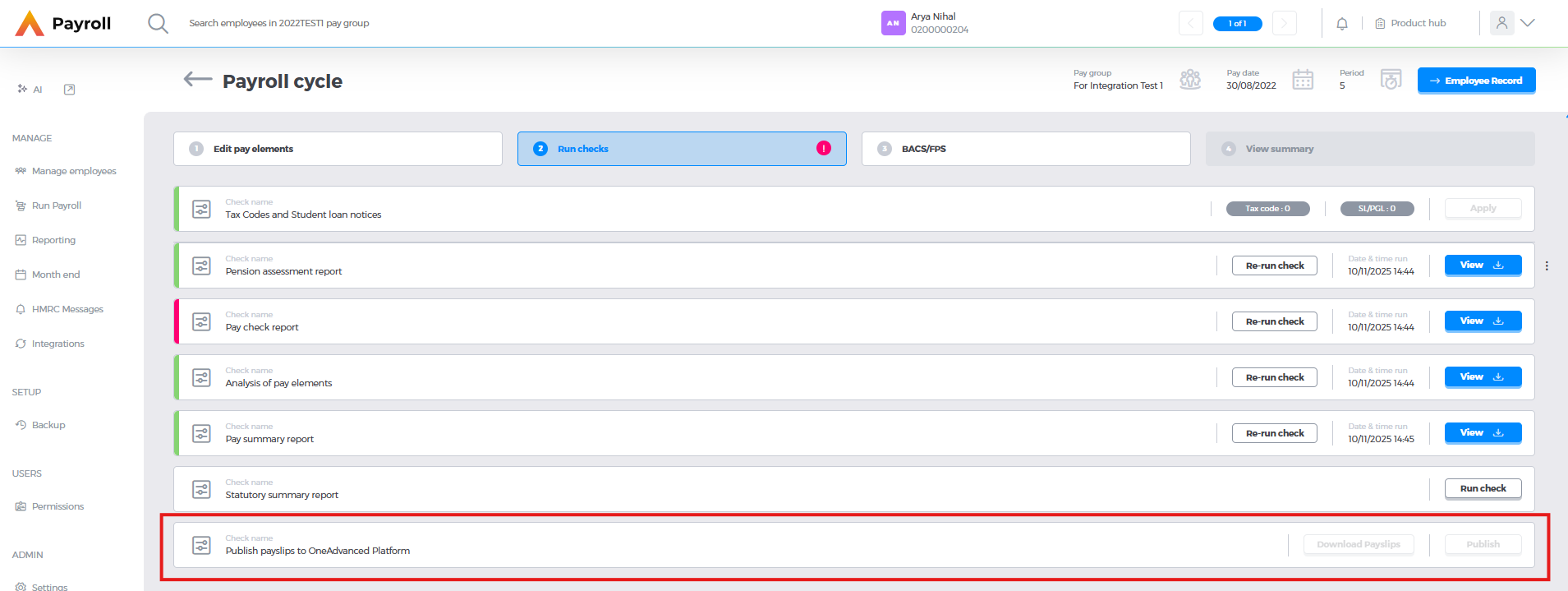
Once the Pay check report has been successfully run both buttons become available.
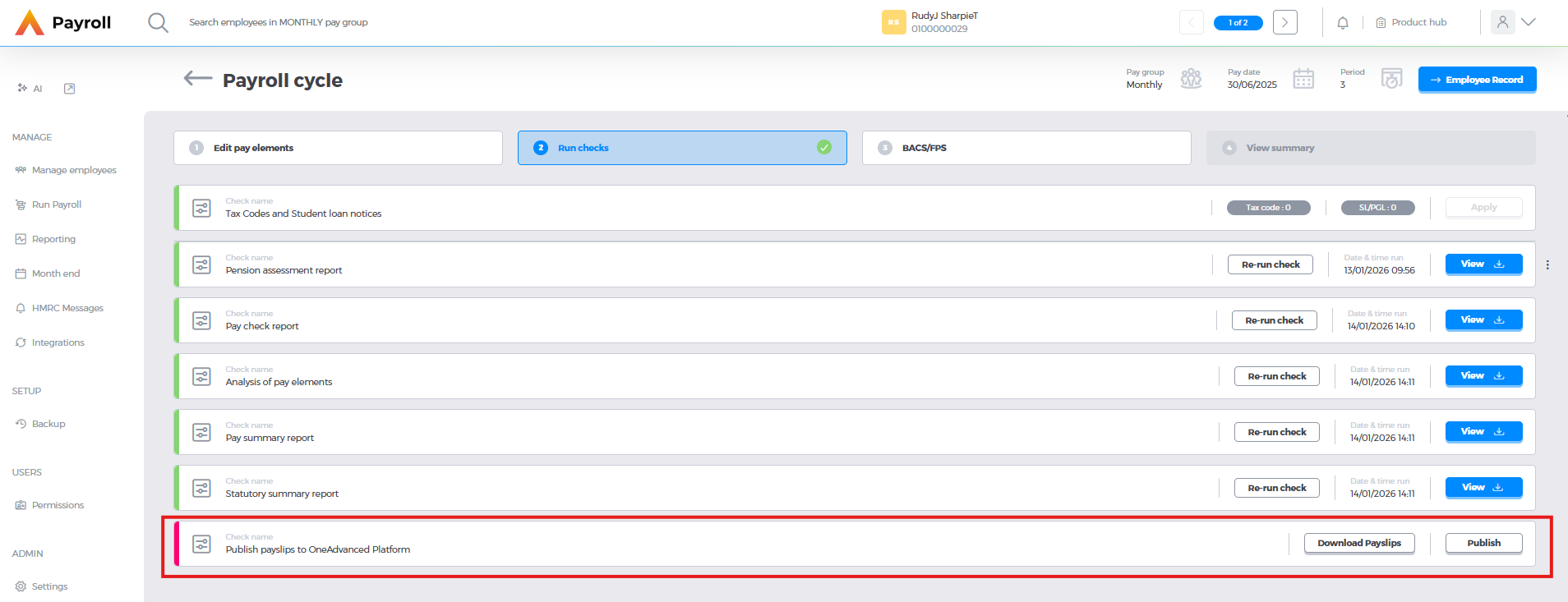
The Download payslips button allows you to perform two actions
- Download all Payslips - this allows you to download all payslips as pdfs for checking. This function will not set the printed payslip flag
- Download Payslips for Printing - this allows you to download the payslips that have been flagged as requiring printing. This will set the printed payslip flag, and make this group of payslips available on the OneAdvanced app.

Clicking Publish will trigger the process for the publishing the payslips, which will add the printed payslip flag, send an email to employees advising them that their payslip is available and allow them to view their payslip on the OneAdvanced Mobile app.

Once all payslips successfully have the printed payslip flag set to yes and have been published you can move onto the BACS and RTI tab.
